On frames

The model code is composed by the first 2 letters + 4 digits (e.g: RB3183) imprinted inside the left temple of a standard frame.
On the website
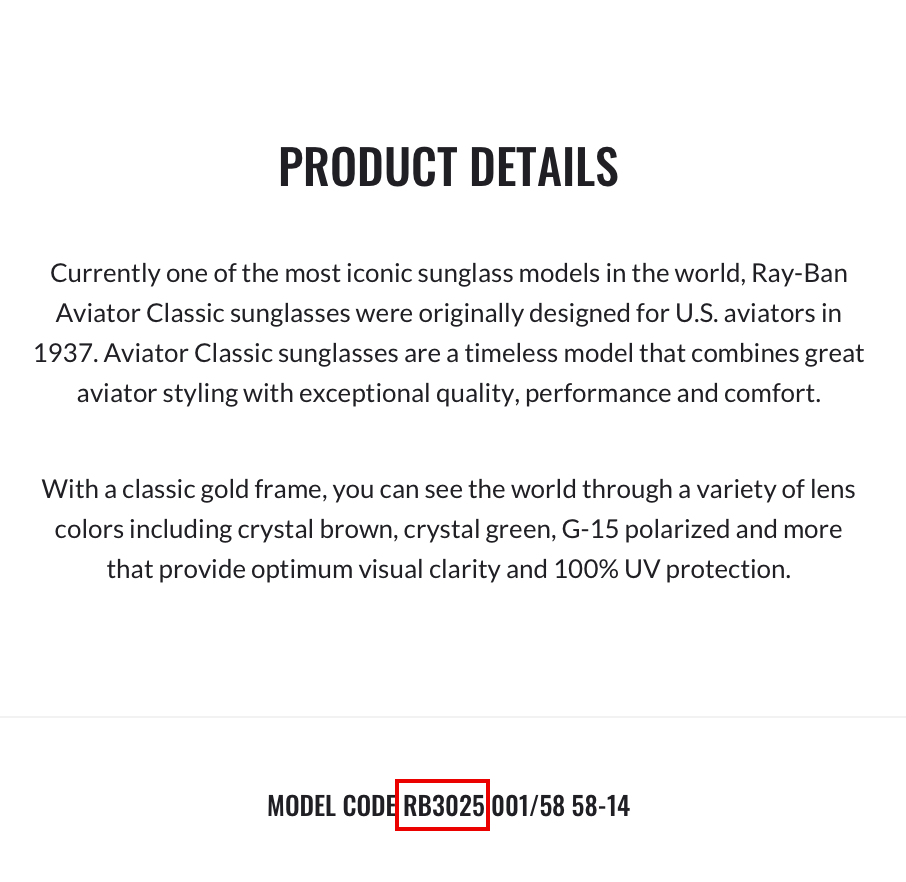
The model code is reported in any product detail page. It is composed by the first 2 letters + 4 digits (e.g: RB3183) of the code displayed in the image above.
FAQ
From content creation to maintenance, find everything you need to know about your Ray-Ban Meta glasses in our dedicated support center.
Charging your glasses
To charge your glasses, put them in the charging case and place it on the nose bridge inside the charging case*. This is the only way to charge the glasses. You'll know that your glasses are charging when the case LED blinks after you've docked them and closed the case. You can also see a charging icon in the Meta AI app.
*The first time you charge your glasses, you need to remove the protective plastic tab from the metal charging connections on the case.
Charging your case
To charge your charging case, connect the case to a power adapter using a USB-C cable and plug it into the front of the charging case. This is the only way to charge the case. If you're having issues with charging the charging case, please see the Troubleshooting section.
Charging safety
For safety information on charging your Ray-Ban Meta Collections please refer to the Warranty and Safety Guide.
To charge your case:
1. Connect the case to a power adapter using a USB-C cable by plugging it into the bottom of the charging case.
2. Plug the power adapter into a wall socket.
Charging cable requirements:
- USB-C to USB-C or USB-C to USB-A (compliant with USB-C Standard)
- Any generation of USB should be compatible
- At least 1.2A current rated (lower current rated cables still work but at slower charge speeds)
Power adapter requirements:
- USB-C or USB-A compliant chargers
- 5W or greater (lower wattage chargers are likely to still be compatible but charge times could be slower)
- USB-PD (power delivery) not a requirement
Your glasses and case each have a battery that requires charging. You can check the charge level of your devices using the Meta AI app or your charging case.
From the Meta AI app:
- When your glasses are connected to the Meta AI app, you'll be able to see the charge status of your glasses on the home screen in the top left.
- You can also view the charge level of your glasses by tapping
If your glasses are docked in the case, you can also view the charge level of your case.
From your charging case:
- The charging case has an LED on the front that shows the charge level of your glasses and case.
- Green solid light: glasses fully charged
- Orange solid light: glasses charging
- Red blinking light: charging error
This is the same charging case that comes in-box with all Ray-Ban Meta glasses.
No, this charging case is only compatible with Ray-Ban Meta glasses.
FREE & EASY RETURNS
By mail
PERFECT FIT
Free personalised adjustments
What after care services are available in store?
Our store team are ready to assist you with every stage of your Ray-Ban journey. We offer eye exams, prescription care, free fittings & adjustments, and guidance on everything in our collection, from lens types to face shape.